
Why Identical Laptops Can Have Different Battery Wear
Understand the impact of manufacturing battery variance on identical laptops' battery life. Get tips on maintaining battery health with our how-to guide.
Battery wear means the measurable drop in a laptop’s health over time. For most owners in the United States this shows up as a lower health percentage, reduced full charge capacity vs design capacity, rising cycle count, or shorter runtime than expected.
Even when two models share the same charger and usage patterns, small upstream differences in cells and pack assembly create different starting points. Cell-to-cell capacity dispersion of about 2–5% and connection or welding defects (reported up to ~15% of connection failures in some modules) help explain why wear diverges.
Think of the chain: a slight capacity or resistance gap on day one can mean earlier low-battery shutdowns or faster drops in health readings over months. This is often normal distribution, not a defect, though some patterns are red flags.
You will learn how to read health metrics, spot true problems, and apply a simple diagnostic mindset—compare consistent metrics, watch for stable trends versus noisy readings, and treat outliers like quality issues worth escalating. Modern process control reduces spread, but high-volume lines still produce variation.
Key Takeaways
- Battery wear shows as lower health percent, capacity loss, higher cycle counts, and runtime drift.
- Small cell differences and pack assembly issues can create early divergence between identical laptops.
- Typical cell dispersion is ~2–5%; connection faults can account for a notable share of pack failures.
- Use consistent comparisons and look for steady trends, not single noisy readings.
- Variation is often normal; persistent outliers may need escalation or warranty support.
Why “Identical” Laptops Don’t Age Identically in Real Life
Two identical laptop SKUs can still leave the factory with small but meaningful differences inside their power packs. From a consumer view, “identical” means the same model and spec sheet. From a production view, it means a distribution of capacity, internal resistance, and early-life efficiency across cells and packs.
Cell-to-cell capacity differences that start at the factory
Research and production data commonly show ~2–5% capacity spread between nominally identical cells. That gap changes usable runtime and how hard a cell works under the same load.
How small process deviations can translate into noticeable wear gaps over time
Minor steps—coating thickness, electrolyte wetting, or weld resistance—alter heat and stress during charge cycles. Those small shifts compound, so one laptop may show a faster drop in health than another despite similar use.
What variability looks like in production data and why it matters for reliability
Manufacturers track batches, averages, and outliers with control charts and capability metrics. A spread where one unit falls to 92% health and another to 96% in six months can be normal dispersion unless outliers cluster around a process change.
Tip: OS health reports use models and counters, so check trends across readings before assuming a defect.
Where Manufacturing Battery Variance Comes From in Battery Manufacturing
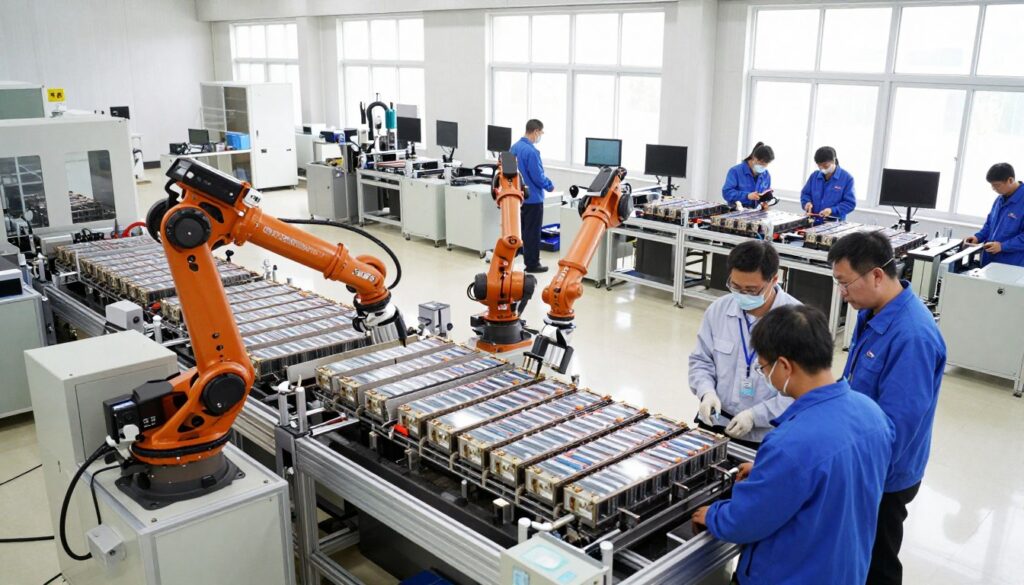
Subtle shifts during production steps often set the path for how a laptop’s power pack ages.
Electrode preparation and coating consistency
Electrode slurry mixing, coating thickness, drying, and calendering control how much active material sits on a cell. Small differences in coating or porosity change electrode loading and internal resistance.
That leads to capacity and impedance spread, even within the same production batch.
Electrolyte fill, wetting, and sealing conditions
Incomplete wetting or tiny seal defects raise initial internal resistance and self-discharge. Early inefficiency can make one pack run warmer and lose usable capacity sooner.
Welding, connections, and hidden contact issues
Tabs, busbars, and protection board joints rely on consistent welds. Slightly higher contact resistance creates heat under load and concentrates stress at one spot.
Formation, aging, and how early steps amplify differences
Formation protocols and temperature control shape the SEI layer. Small timing or thermal shifts during formation can change long-term degradation paths.
Environmental drift, equipment, and lot changes
Line-to-line temperature, sensor drift, and equipment wear slowly push outputs until control systems intervene. Lot swaps and maintenance cycles can create step changes that show up as outliers in control charts and production data.
Solutions lens: Modern plants use process control, SPC charts, adaptive welding fixtures, and machine-learning monitoring to cut variability and catch deviations early. These upstream differences explain why two identical laptops may show different health and performance over time.
How to Tell If Your Laptop Battery Wear Is Normal Variability or a Real Issue
Small early differences in cells or assembly can make two otherwise identical laptops show different health over months. Use simple, repeatable checks to tell routine spread from a real problem.
Compare metrics the right way
Match tools and windows
Run the same battery report tool on both machines. Compare the same OS version, the same time window, and similar cycle counts.
Track design capacity, full charge capacity, cycle count, and temperature history where available.
Interpret trends, not snapshots
A single health percentage can mislead. Compare multi-point trends over weeks and link drops to usage intensity or heat exposure.
Watch for noise vs real dispersion
Common measurement noise comes from OS estimation models, recent calibration, background power draw, and temperature changes.
If readings bounce +/- a percent or two, that is often noise. If gaps widen steadily, treat it as real performance divergence.
Apply a simple control-chart mindset
Estimate a baseline monthly decline and set practical limits. If one unit’s decline is consistently outside those limits, flag it as an anomaly.
Red flags that point to a defective cell
- Rapid health collapse over weeks
- Unexpected shutdowns at moderate charge
- Swelling or unusual heat during light use
- Charging instability or erratic reports
Monitoring tip: Capture monthly reports, note cycle count, and log firmware or BIOS updates. Correlate any issues with travel, hot environments, or heavy workloads.
https://www.youtube.com/watch?v=0woSgKrG1So
| Metric | Normal Range | When to Escalate |
|---|---|---|
| Full charge capacity vs design | Small, steady decline over months | Sharp drop >5% in a month |
| Cycle count | Gradual rise with use | Mismatch with runtime or sudden runtime loss |
| Temperature & heat events | Short spikes under load | Persistent high heat during light tasks |
Decision guide: Use patterns and simple charts rather than a single reading. Treat steady, out-of-limit declines as actionable and seek service when red flags appear.
How to Reduce Battery Wear Differences You Can Control
Operational habits often determine whether small initial cell differences stay minor or grow into clear performance gaps.
Smart charging habits
Avoid full-time 100% charge. Use vendor charge limits when available and prefer shallow cycles for daily use. This reduces stress on packs that start with slightly lower capacity.
Temperature management
Heat multiplies wear. Keep vents clear, use a stand for airflow, and never charge under cushions or in a hot car. These steps lower the chance that identical systems diverge because one runs hotter.
Storage and calibration
Store at ~40–60% state of charge in a cool, dry place. Check devices periodically to avoid deep discharge.
Occasional full discharge/charge cycles help gauge fuel-gauge accuracy but don’t do them often.
Monitoring and when to act
“Log monthly health reports and make one change at a time; data-driven tweaks beat guesswork.”
Track trends, not snapshots. If decline is fast, swelling occurs, or shutdowns happen, consider warranty service. Otherwise, continue measured monitoring and adjustments.
| Action | Why it helps | When to escalate |
|---|---|---|
| Set charge limit | Reduces high-voltage stress | Sharp health drop despite limits |
| Improve airflow | Limits heat-driven degradation | Persistent hot spots at idle |
| Store at mid SOC | Prevents deep discharge loss | Large capacity step after storage |
Conclusion
, Subtle differences during production and formation set distinct wear paths for units that look the same on the spec sheet. Small initial spreads in cell capacity or contact resistance can compound under heat and heavy use.
Most modest gaps in battery health between two laptops are normal. Differences in cycle count, temperature exposure, and workload make small variations expected rather than alarming.
At a high level, sources include electrode coating, electrolyte wetting, weld contacts, formation steps, and line/environment drift. Statistical process tools and simple control charts help separate normal variation from real defects.
Compare the right metrics, watch trends not snapshots, and set practical limits to decide action. Manage charging, keep devices cool, and log periodic reports.
If decline runs outside your limits or you see red flags, contact OEM support; otherwise keep monitoring and reduce controllable stress.